Why Do Mid-Sized Operators Struggle with Driver Scheduling?
Full optimisation suites are too heavy. Spreadsheets are too fragile. Most operators are caught between the two.
Powerful, but heavy
Full optimisation suites require months of setup and a dedicated expert to run them. Most mid-sized operators have neither the budget nor the time.
Excel & paper
So planning ends up in spreadsheets — manual, slow, with no optimisation and no traceable history. Errors surface at payroll, not at planning.
Rigid, no optimiser
Rigid tools designed for interurban routes with no optimisation engine. Issues don't surface until dispatch, or worse, month-end payroll.
What Does Pysae Shift Cover End-to-End?
Six steps, one system — no hand-off between tools, no reconciliation at month-end.
Transport plan import
Commercial trips, deadheads and charters from your scheduling stack — auto-detected and cross-validated.
Duty generation
Trips, breaks and turn-arounds assembled into legal duties for every service day.
Cyclic rosters
Weekly rotations with term and holiday variants, balanced for driver fairness.
Annual master plan
Rosters assigned across 52 weeks — leave, reserves and charters all covered.
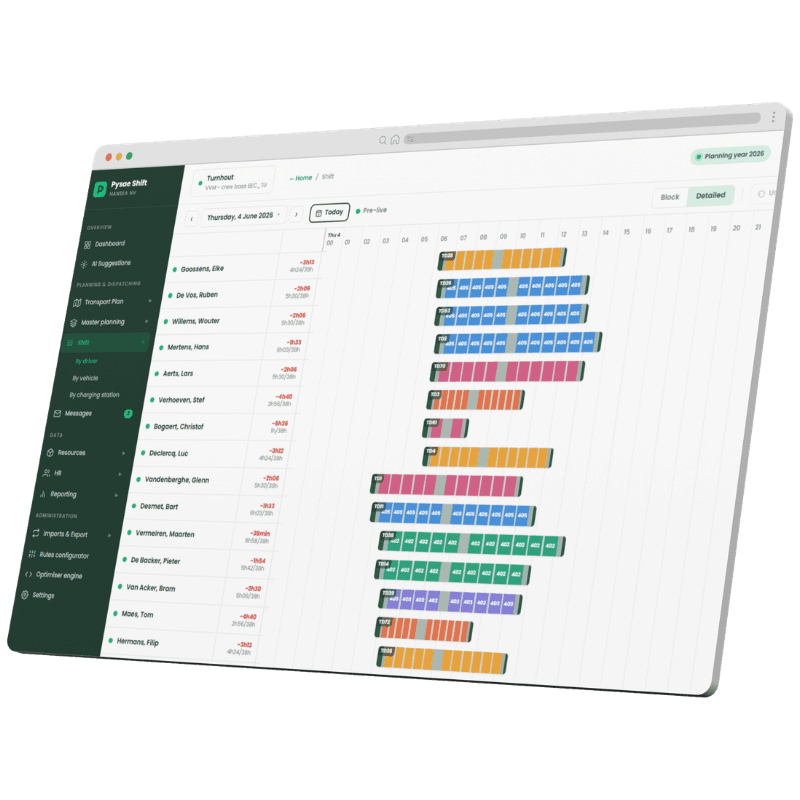
Live dispatch
Day-of-operations board: drag-and-drop reassignment, check-in/out, live rule checks in real time.
Pre-payroll export
Worked hours translated to wage codes, validated, locked, and exported to your payroll provider.
How Does the Compliance Engine Work?
Four configurable layers — law, sector CLA, company agreement, depot preferences. Each layer is readable, editable, and validated.
Legally validated rules
Statutory rules signed off by employment-law counsel — legal authority, not vendor claims.
Four-layer rule engine
Law → CLA → company → operational, multi-CLA and multi-segment. Generic WFM flattens this to one list.
Engines you can read & edit
Optimisation as transparent, in-app logic — not a black box you take on trust.
Plan to payroll, one system
Planning, dispatch, compliance and pre-payroll in a single tool. No bridged gap, no double entry.
Occasional hire, first-class
Charters modelled as their own duty framework — not bolted onto regular service as an afterthought.
Open, round-trip data
Imports and exports share one layout; rules portable as JSON. No lock-in, ever.
How Does the Pre-Payroll Export Work?
Hours computed, not transcribed. Validated before locked. One click to your payroll provider.
Hours computed — not transcribed
Driving time, paid time, overtime above contract — per driver, per month. Computed from dispatch records.
Wage codes from the rule set
Premiums, allowances, credit-hour thresholds — derived from the same rules that govern planning.
Validate, then lock
Validate the current month, lock the previous ones. If an anomaly comes up later, the record is still there.
Day-by-day drill-down
Click any cell to see the day-by-day breakdown behind it. No figure without a source.
One-click export
One export, in your payroll provider's layout. No copy-paste, no CSV cleanup.
One system. Your depots, your agreements, your data.
30 minutes, your real data, no slides. We run it live on your depots and your collective agreements.